New helicopter guide
The help for this page of the Version 2 transmitter, as its latest update shows it.
On the transmitter: Model setupRotorflightGuide & checksNew helicopter guide
Every setup step in the order Rotorflight's own setup takes them, for a new helicopter (or a check of an old one).
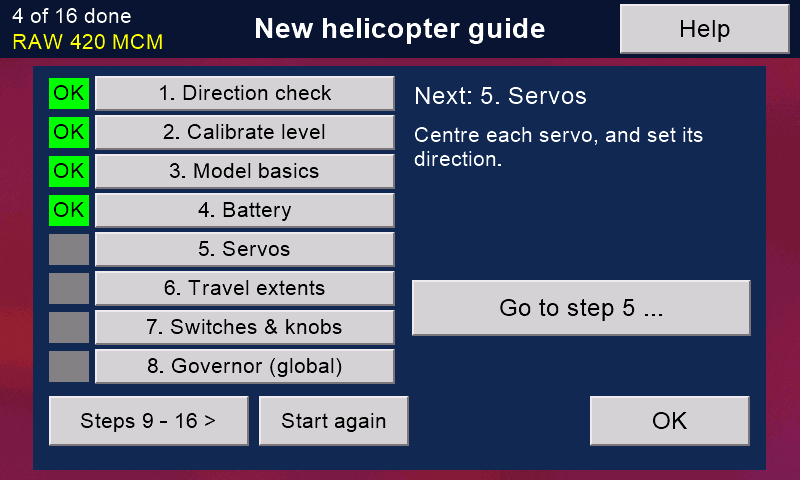
Touch a step to open its page. OK on that page brings you back here, and the step is ticked.
'Go to step ...' opens the first step not ticked yet; the words above it say what that step is for.
The ticks are kept for each model, so you can stop and come back later. 'Start again' clears them (nothing in the model changes).
Fly gently at first. After any change: 'Check my setup', and back up again.
Still stuck?
See common questions, or write to mmessiter@gmail.com. Say which page, and what the screen showed.