Guide and checks
The help for this page of the Version 2 transmitter, as its latest update shows it.
On the transmitter: Model setupRotorflightGuide & checks
Five helpers that make a Rotorflight setup simpler.
16 MB screens only.
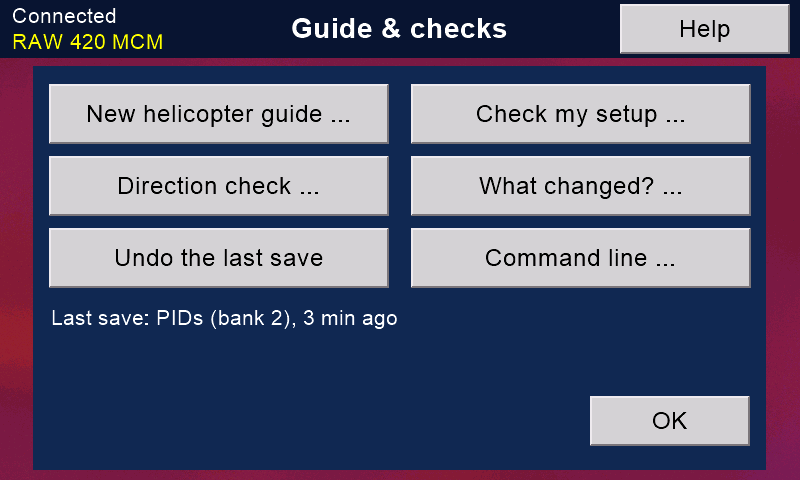
New helicopter guide
Every setup step in order, over the pages you already know.
A step opens its page; OK on that page brings you back and ticks the step. The ticks are kept for each model.
Check my setup
Reads the flight controller and lists anything unfinished or odd, each with a button to the page that puts it right.
Direction check
Tilt and turn the model: it says whether the flight controller sees each move the right way round.
What changed?
Compares the flight controller with this model's backup on the card, setting by setting. 'Put back' returns one setting to the backup's value.
Undo the last save
Puts back what the last Rotorflight save replaced - the line under the button says which save. Switches & knobs, Copy a bank, the ports and a level calibration cannot be undone.
Command line
Rotorflight's own command line (CLI): see 'COMMAND LINE' in the help of the 'Rotorflight' page.
All of them need the model connected and the safety on.
Still stuck?
See common questions, or write to mmessiter@gmail.com. Say which page, and what the screen showed.