Wireless buddy (teaching)
The help for this page of the Version 2 transmitter, in its newest words. A transmitter on V2 B92 or older shows older words.
On the transmitter: Transmitter setupBuddy
Wireless buddy: dual control, for teaching beginners to fly.
The Instructor (Master) and the Pupil (Buddy) fly one model.
The Instructor's buddy switch gives the Pupil control.
Move it back, and the Instructor flies again at once.
Only the Instructor's transmitter talks to the model.
The Pupil's talks to the Instructor's.
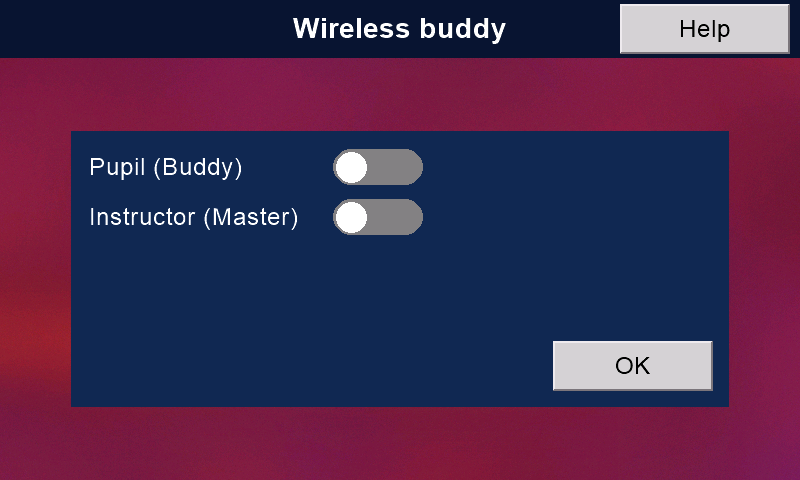
Set up the Instructor's transmitter
- Connect the model. On Model setup > 'Model IDs', press 'Store this model's ID'.
- Back up the model with '> Backup >' on the 'Models' page.
Then 'Send' it to the Pupil (see the 'Models' help).
The file carries the model's ID and the Instructor's ID.
So store the model's ID BEFORE you send the model. - Give a switch the job 'Buddy' on the 'Switches' page.
A spring-return switch is best: let go to take control back. - Here, turn 'Instructor (Master)' on.
Under 'Buddy switch', choose who flies at Down, Middle and Up:
'Master', 'Nudge' or 'Buddy'. - 'Buddy channels ...': turn on the channels the Pupil may fly.
'All' and 'None' set every channel, and 'Top switches too'.
The others stay with the Instructor, whoever has control.
Each model keeps its own choice.
Set up the Pupil's transmitter
Receive the model from the Instructor into the memory you chose.
Then turn 'Pupil (Buddy)' on here.
On either transmitter, 'OK' saves and goes to the front screen.
If 'Middle' and 'Up' are both 'Master', you are asked to check.
The top switches
On the Buddy channels page, 'Top switches too (motor, safety, bank and rates)' decides whose switches count while the Pupil has control.
For a beginner, leave it OFF:
the Instructor keeps motor on / off, safety, bank and rates.
A more advanced pupil, perhaps learning autorotations, will need these switches too.
When the Instructor flies, the Instructor's switches count.
Nudge
With 'Nudge' the Pupil flies, but the Instructor's sticks can gently nudge the model, rather than take over.
Not on channel 3 (collective / throttle):
that stick does not self-centre.
AMS
If AMS (automatic model selection) is on in both transmitters, and both have the model's ID stored, BOTH load the right model by themselves, even if one had the wrong model loaded.
Who has control
When the buddy switch moves, both transmitters say who flies:
'Master', 'Buddy' or 'Buddy with nudge'.
The Instructor's front screen shows 'Buddy found!' or 'Buddy missing'.
The Pupil's shows 'Master found!' or 'Master missing'.
If the Pupil's signal is lost, the Instructor gets control back by itself after about 5 seconds.
To take it back at once, use the buddy switch.
'Extra buddies!' (Pupil's screen): a second buddy is on the air.
Use one Pupil at a time.
Wired buddy
There is no wired buddy: wireless is much simpler and better.
Still stuck?
See common questions, or write to mmessiter@gmail.com. Say which page, and what the screen showed.